Every Interpretation Change, Kept
Geosteering means changing your mind as the well tells you more. Save each version of your GeoMatch with a note on why, see exactly what moved, and go back whenever the new idea doesn't hold up.
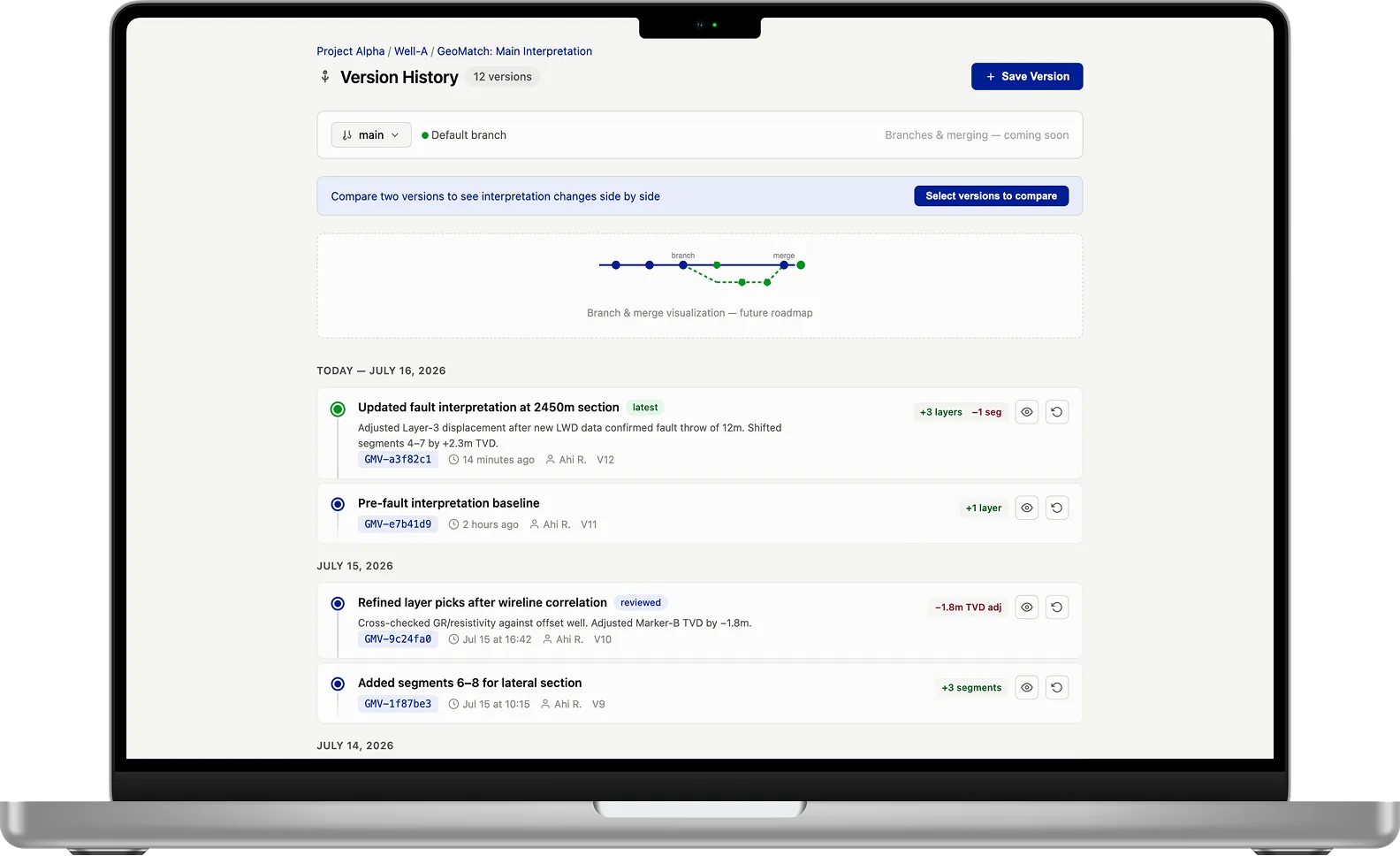
Design preview. Branches and side-by-side comparison shown here are on the roadmap.
What You Get
A Full Record of How the Interpretation Grew
A Note on Every Change
Each version has a title, an optional tag such as "reviewed", and a note on what changed and why. GeoMaster suggests the title and note from the edits you made, and you can rewrite them.
See What Moved
Every version lists what was added, changed or removed, such as layers and segments, and flags how much it matters: critical, notable or routine.
Go Back Safely
Restoring an older version never throws work away. Your current interpretation is saved first, and the restore becomes a new version on top.
A Record Nobody Can Erase
Versions can’t be deleted, by you, a colleague or GeoEngine. When someone asks why the well was steered that way, the answer is still there.
How It Works
Three Steps, No Extra Paperwork
Saving a version takes a few seconds, so it fits into the moment you change your mind.
Work on the GeoMatch
Move a fault, re-pick a layer, add segments for the next stretch of lateral.
Save a version
Click Save Version. Check the suggested title and note, add a tag if you like, and save.
Look back any time
Open the timeline, see what changed in each version and who saved it, and restore one if you need to.
Version History FAQ
What does version history keep?
Each saved version of a GeoMatch interpretation, with its title, tag, note, author and time, and a summary of what was added, changed or removed compared with the version before.
Can I delete a version?
No. Versions are a permanent record of how the interpretation developed, so nobody can delete them, and neither can GeoEngine.
What happens when I restore an old version?
Your current interpretation is saved as a version first, then the old one is restored as a new version. Nothing is lost, and you can go back again.
Can I compare two versions side by side?
Not yet. Today each version shows what changed since the one before it. Side-by-side comparison of any two versions, and branches for trying alternative interpretations, are on the roadmap.
Can GeoEngine help with versions?
Yes. Ask GeoEngine, or use the /versions command, to list the versions of a GeoMatch and what changed between them.
Learn more
Keep the Story of Your Well
Start free, build a GeoMatch, and save your first version in a minute.